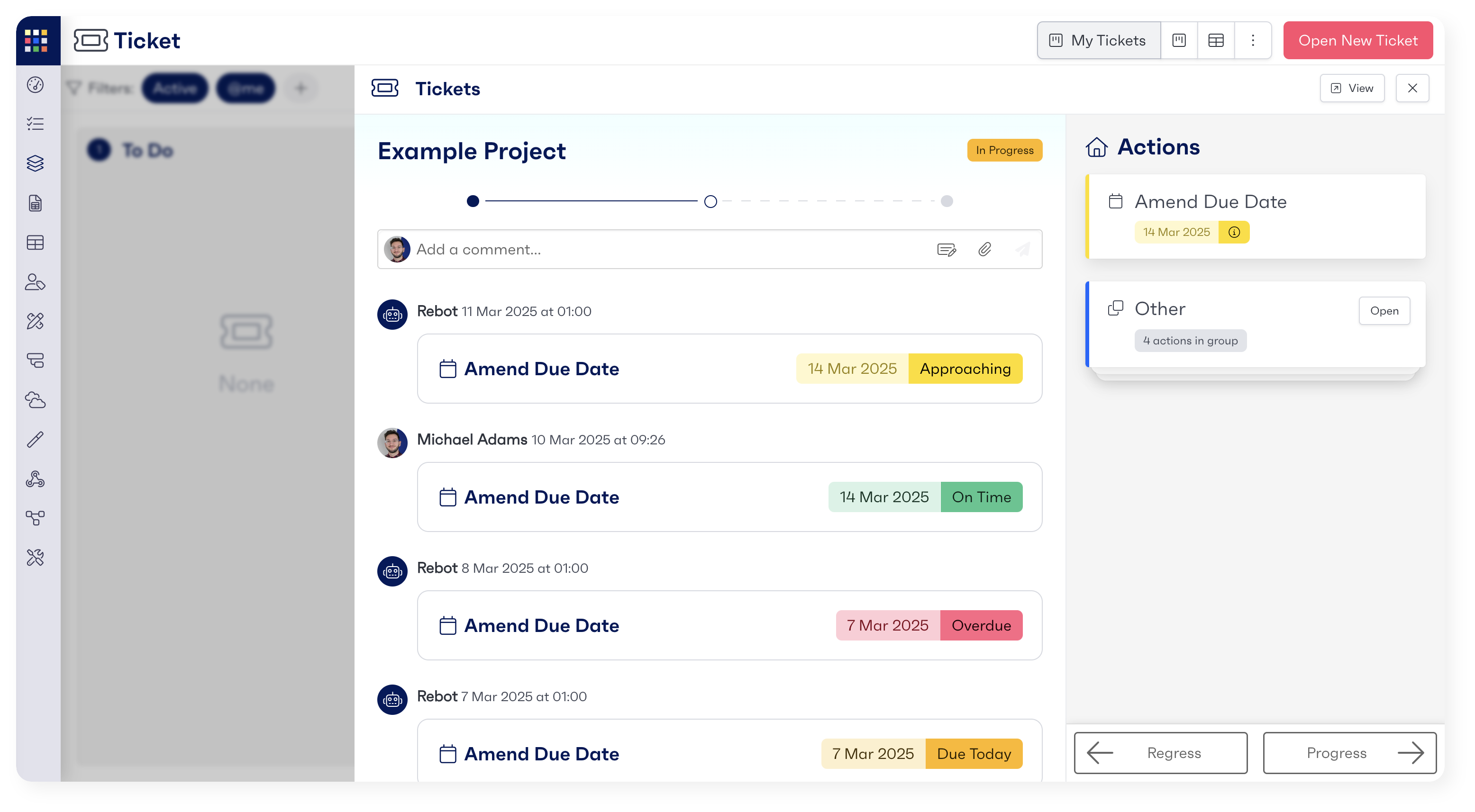
Quickview can be activated by clicking on either the specific project in the row or the card in the Kanban view. When you open your quickview, it defaults to the 'Overview' tab. You can complete activities and tasks directly from this view, without needing to navigate to the full workflow page.