
Viewing a programme or REflow
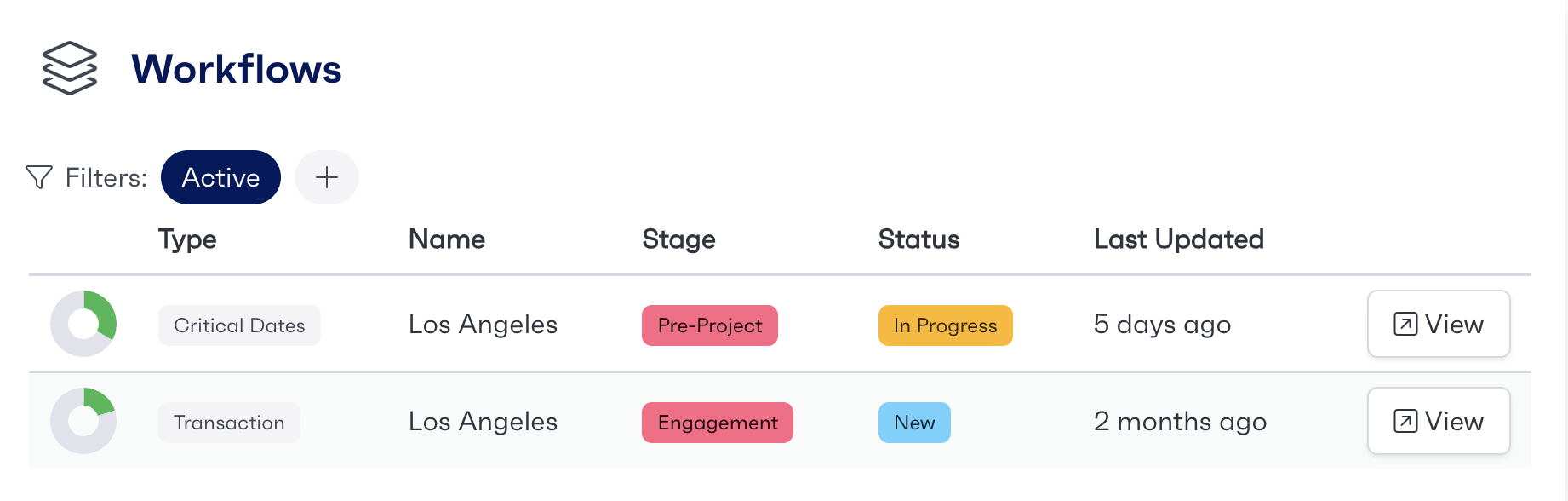
To view a programme or workflow from the dashboard page, click the view button located on the right side of the associated workflow that you would like to view.
Dashboard Overview
On the dashboard page, you are able to view multiple different workflows of which you are either an owner or a team member.
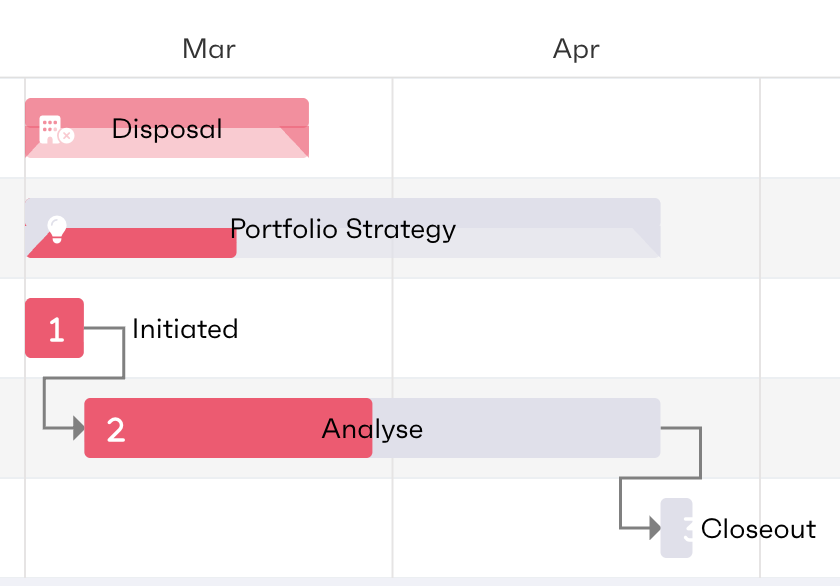
From this page, you will be able to view multiple categories of information to see how a project is performing, quickly and easily. The Gantt chart gives you an overview of the project timeline.
The information that is displayed on the Dashboard page includes:
Project Type
Programme Name
Project Stage
Project Status
When the project was last updated
You can find out more about specific projects by clicking the view button on the right side of the page.
You are also able to filter through the associated reflows with the use of the filter button by clicking the plus icon
Awaiting Roles
Included in the dashboard overview, users will be able to see the most up to date workstreams, if they are waiting for input from the users role. These are denoted by 'Waiting on your role' tags. These workstreams will be pulled to the top of the workstream list and added to a separate card so users can easily identify which workstreams are waiting for them.